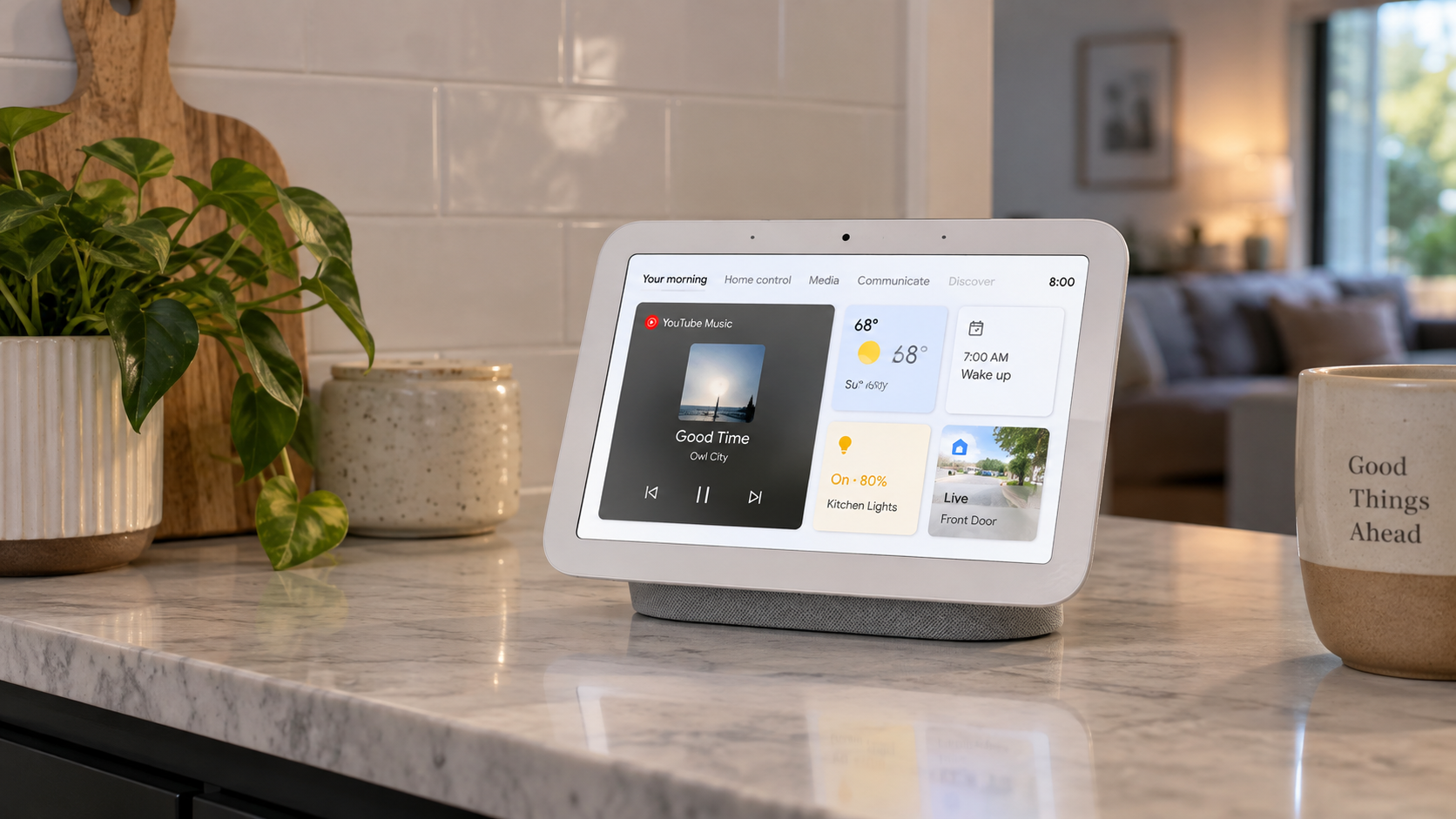
Technology can make everyday routines easier to manage, but choosing the right smart home devices takes more than picking products with the longest feature lists. Compatibility, security, installation, automation options, and ongoing costs can all influence which products make sense for your household.
From lighting and temperature control to cameras and connected appliances, you now have plenty of options. Understanding how these products work together can help you build a connected home gradually instead of buying equipment that may not suit your existing setup.
What Smart Home Devices Can Add to Your Everyday Routine
Smart home devices are internet-connected or locally networked products that allow you to monitor, control, or automate different parts of your home. Depending on the product, you might use a smartphone app, voice assistant, physical control, sensor, or automated schedule.
The broader category of smart home technology includes everything from simple plugs and bulbs to coordinated systems controlling lighting, climate, locks, cameras, and appliances.

For example, you might schedule your lights to switch off before bedtime, adjust the temperature remotely, or receive a notification when a camera detects activity. The usefulness of each feature depends on your household and daily routine.
Which Types of Smart Products Are Worth Considering?
You do not need to automate your entire house at once. Starting with one category can help you determine which features you actually use before investing in additional equipment.
Smart Lighting
Smart lighting lets you control compatible bulbs, switches, or fixtures through an app, automation platform, or voice command. Depending on the model, you may be able to adjust brightness, set schedules, create scenes, or change color temperature.
Smart bulbs are often among the simplest options for renters because they generally require minimal installation. Smart switches can offer more permanent control, although some models require electrical installation.
Before buying, check whether the product requires a separate hub and whether it works with your preferred control platform.
Smart Thermostats
Smart thermostats give you more control over household heating and cooling. Common features include programmable schedules, remote adjustments, temperature monitoring, and energy-use information.
Some models can automatically adjust settings based on occupancy or established routines. However, compatibility varies considerably between HVAC systems. Check your existing wiring and heating or cooling equipment before purchasing.
Potential energy savings also depend on factors such as your climate, insulation, existing thermostat habits, and preferred indoor temperature.
Cameras, Doorbells, Locks, and Sensors
If monitoring your property is a priority, smart home security products may include video doorbells, indoor or outdoor cameras, motion sensors, entry sensors, alarms, and electronic locks.
Look beyond camera resolution when comparing options. Useful factors include:
- Local versus cloud video storage
- Nighttime image quality
- Motion detection controls
- Notification settings
- Two-way audio
- Battery or wired operation
- Subscription requirements
- Privacy and account security features
A lower-priced camera may become more expensive over time if important functions require a monthly subscription, so check recurring costs before making your decision.
Smart Plugs and Outlets
Smart plugs can turn traditional electrical products into remotely controlled equipment. You can use them with compatible lamps, fans, coffee makers, and other suitable appliances.
Many provide scheduling and timer functions, while some models include energy-monitoring features. Always check the manufacturer’s electrical load requirements before connecting higher-powered equipment.
Smart Appliances
Connected refrigerators, washing machines, ovens, robot vacuums, and other household appliances can provide remote controls, notifications, maintenance alerts, or automated functions.
However, connectivity alone does not necessarily make an appliance a better purchase. Consider the product’s core performance, durability, repairability, warranty, and operating costs before giving extra weight to its smart features.
How Do Home Automation Systems Work?
Home automation systems allow compatible products to perform actions based on schedules, commands, sensors, or predefined conditions.
For example, you could create a bedtime routine that turns off selected lights and adjusts the thermostat. A motion sensor might trigger hallway lighting after dark, while a door sensor could send an alert when an entrance opens.
Some setups depend heavily on cloud services, while others can process certain automations locally. Local processing may allow selected functions to continue even when internet access is interrupted, although this varies by platform and device.
Check Compatibility Before You Buy
Compatibility is one of the most important factors when comparing connected home devices. A product may offer useful features but still be inconvenient if it cannot communicate properly with the equipment or platform you already use.
Check support for major ecosystems and standards before purchasing. Depending on your setup, this could include Apple Home, Amazon Alexa, Google Home, Matter, Thread, Wi-Fi, Bluetooth, Zigbee, or Z-Wave.
Matter is designed to improve interoperability between compatible smart-home products from different manufacturers. However, individual device features can still vary between platforms, so a Matter logo should not replace checking the manufacturer’s specific compatibility information.
What Features Should You Compare?
Instead of choosing based on the number of advertised functions, focus on features that affect everyday usability.
| Feature | What to Check |
|---|---|
| Compatibility | Whether it works with your existing ecosystem |
| Connectivity | Wi-Fi, Bluetooth, Thread, Zigbee, Z-Wave, or other protocols |
| Installation | DIY setup or professional installation requirements |
| Automation | Schedules, routines, sensors, and conditional controls |
| Security | Encryption, account protection, and software updates |
| Storage | Local, cloud, or both |
| Subscription | Which features require recurring payments |
| App quality | Controls, notifications, household sharing, and usability |
| Updates | Manufacturer’s software and security support policy |
Checking these details before purchasing can reduce the chance of ending up with products that require separate apps, subscriptions, or additional hardware you did not anticipate.
How Much Should You Expect to Spend?
Costs vary considerably by category and complexity. Individual plugs or bulbs can provide an inexpensive entry point, while cameras, locks, thermostats, hubs, and major appliances generally require a larger investment.
Your purchase price may not represent the full cost either. Consider possible expenses for:
- Hubs or bridges
- Professional installation
- Cloud storage
- Premium app features
- Security monitoring
- Replacement batteries
- Additional sensors
- Subscription services
Calculate the expected cost over several years when comparing similar products. A device with a higher purchase price but fewer recurring fees may make more financial sense for your needs.
Do You Need a Smart Home Hub?
Not necessarily. Many modern products connect directly to Wi-Fi or use another compatible platform without requiring a dedicated hub.
A hub can still be useful when you have numerous products or want more sophisticated automation. It may centralize controls and allow compatible equipment to communicate more efficiently.
Before purchasing one, check which protocols and products it supports. A hub has limited value if most of your equipment cannot connect to it.
Privacy and Security Deserve Attention
Connected products can collect information about how and when you use your home. Cameras and microphones deserve particular consideration because of the type of information they can capture.
Before setting up a product, review its privacy controls and available security features. Helpful practices include using unique passwords, enabling multifactor authentication when available, installing software updates, and removing devices you no longer use from your account.
You should also understand what information is stored locally, what is sent to cloud servers, how long information is retained, and what happens to your data if you cancel a service.
Should You Choose One Ecosystem?
Using products within one ecosystem can simplify setup and control. You may have fewer apps to manage and more consistent automation options.
However, committing exclusively to one manufacturer can limit your choices. Products supporting widely adopted interoperability standards may give you greater flexibility when you want to add or replace equipment later.
The better approach depends on your priorities. Simplicity may matter more if you want an easy setup, while broader compatibility may be preferable if you expect to expand your system over time.
Questions to Ask Before Buying
Before adding another product to your setup, ask yourself:
Does it solve a practical problem?
Choose technology that makes a routine easier, improves control, or provides information you genuinely find useful.
Will it work with what you already own?
Check platforms, protocols, hubs, operating systems, and network requirements.
Are useful features locked behind a subscription?
Review both free and paid functionality before comparing prices.
Can you still use basic functions without internet access?
Some products depend more heavily on cloud services than others.
How long will software updates be provided?
Long-term support matters because connected products depend on software as well as physical hardware.
Can other household members use it easily?
Technology should not make simple tasks unnecessarily complicated. Physical controls can still be valuable alongside apps and voice commands.
A Practical Way to Build Your Setup
Start small instead of purchasing several products at once. Choose one category that addresses a clear household need, such as lighting, climate control, security, or appliance management.
Use it for a while and pay attention to which functions actually become part of your routine. You can then add compatible products based on experience rather than assumptions.
As your setup grows, prioritize interoperability, privacy controls, reliable connectivity, useful automation, and manageable recurring costs. A carefully planned setup can be simpler to maintain and easier to expand as your needs change.
Making Your Smart Home Setup Simple and Practical
The most suitable setup is not necessarily the one with the most automation. It is the one that fits naturally into your household and provides features you will actually use.
Compare compatibility, installation requirements, privacy practices, software support, subscription costs, and everyday usability before buying. Taking a gradual approach can also help you avoid paying for features that sound appealing but add little practical value.