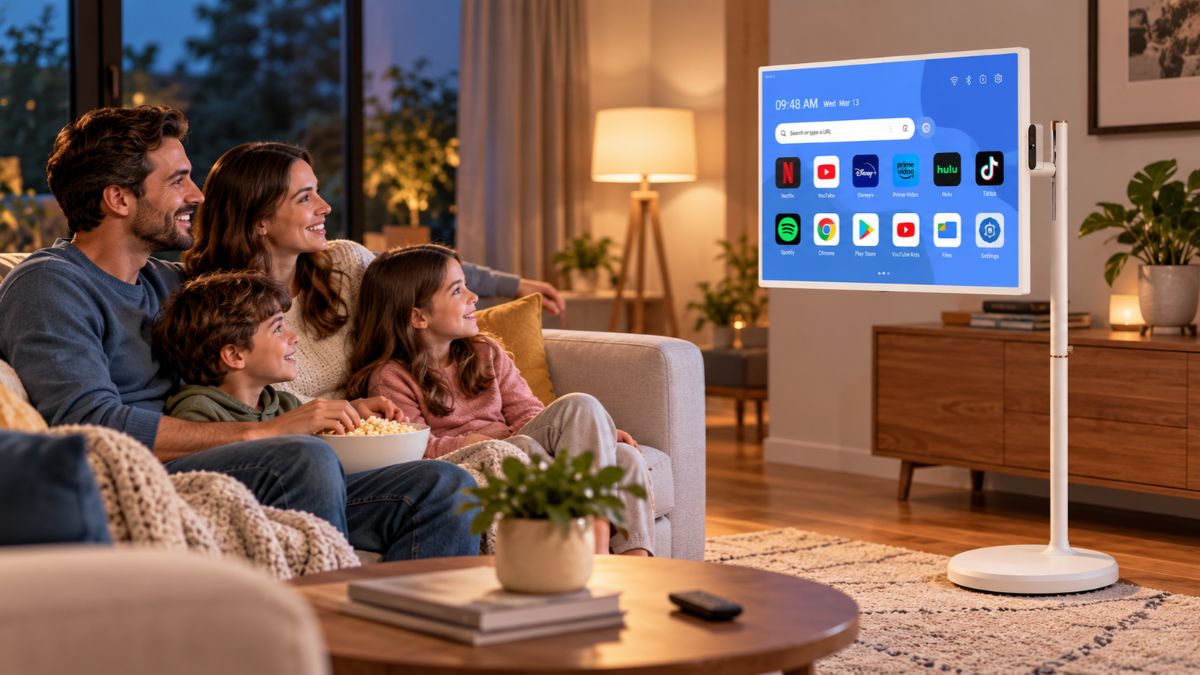
A portable smart tv gives you a different way to use a large screen when you don’t want your viewing setup permanently tied to one wall or room. Apolosign currently sells 24-inch and 32-inch Smart Portable TVs on wheeled stands, along with the PackGo 27-inch Briefcase Portable TV designed around a different approach to mobility.
These products combine touchscreen displays, Android software, built-in batteries, speakers, and wireless connectivity, according to Apolosign. Before buying one, however, it’s worth comparing screen size, resolution, battery specifications, stand or carrying design, ports, software, and where you actually plan to use the display.
Here are 10 areas to research before deciding which Apolosign model fits your setup.
1. Start by Deciding Where You Will Use a Portable Smart TV
Portability can mean different things depending on how you plan to use the screen.

A conventional television normally stays in one location. Apolosign’s 24-inch and 32-inch Smart Portable TVs use adjustable stands with five wheels, allowing you to move the display between suitable areas rather than keeping it attached to one wall.
That design can make sense when you want one screen that can move between spaces such as a bedroom, kitchen, living area, home office, or other suitable locations.
The PackGo takes a different approach. Instead of a rolling stand, its 27-inch display folds into a briefcase-style enclosure with a carrying handle. Apolosign positions this model for travel and outdoor applications in addition to entertainment at home.
Before comparing specifications, decide what portability means to you:
- Moving a screen from room to room
- Using one display in several areas of the home
- Carrying the display outside
- Taking a screen on trips
- Using a larger display for gaming
- Moving between entertainment and productivity tasks
Your answer can quickly narrow the model choices.
2. Compare the Apolosign Models and Screen Sizes
Apolosign currently lists three primary products in its portable television collection: the 24-inch Smart Portable TV, the 32-inch Smart Portable TV, and the PackGo 27-inch Briefcase Portable TV.
The 24-inch model is the smallest of the wheeled versions. The 32-inch model provides a larger viewing area while retaining the rolling stand format. PackGo sits between them in screen size but changes the physical design significantly.
Here’s a simple comparison based on current manufacturer specifications:
| Apolosign Model | Screen Size | Listed Resolution | Mobility Design | Listed Battery Life |
| Smart Portable TV | 24 inches | 1920 × 1080 | Five-wheel adjustable stand | 4 hours |
| Smart Portable TV | 32 inches | 1920 × 1080 or 4K option | Five-wheel adjustable stand | 6 hours |
| PackGo Briefcase Portable TV | 27 inches | 1920 × 1080 | Briefcase-style enclosure | Up to 6 hours |
Battery figures are manufacturer claims and actual runtime can vary according to usage and settings. Apolosign currently lists a 4K option for its 32-inch model in addition to 1080p.
Your decision therefore shouldn’t be based on screen size alone. Think about how the display will physically move through your intended environment.
3. Look Closely at the Touchscreen
Touch control is one of the main differences between these products and many conventional televisions.
A portable smart touch screen tv lets you interact directly with compatible on-screen controls rather than relying entirely on a remote.
Apolosign describes its 24-inch and 32-inch displays as multi-touch screens. The PackGo product page specifies a 10-point multi-touch display.
Touch input can be useful for tasks such as opening apps, scrolling through interfaces, controlling compatible applications, or interacting with productivity features.
Think about placement, though. A touchscreen only provides its full practical benefit when the display is positioned within comfortable reach.
If you expect to watch from across a large room most of the time, remote operation may matter much more than touch input.
4. Compare 24-Inch, 27-Inch, and 32-Inch Displays
Bigger isn’t automatically better for a movable screen.
A smaller display can be easier to position in tighter spaces. A larger screen can provide a larger viewing area when several people are watching together or when you’re sitting farther away.
The 24-inch Apolosign model may be worth researching when physical size is a major concern.
The 32-inch model provides the largest display in the company’s current portable-TV collection and is available with 1080p and 4K resolution choices according to its current product page.
If you’re specifically researching a 27 inch portable smart tv, PackGo is the relevant Apolosign model. It uses a 27-inch 1920 × 1080 LCD touchscreen housed inside its briefcase-style body.
Measure the spaces where you plan to use the product before deciding. Screen dimensions are only part of the equation because the stand or enclosure also requires room.
5. Check How the Battery Fits Your Viewing Habits
The built-in battery is a major part of what separates this category from a television that needs to stay connected to a wall outlet.
A portable battery operated tv can be used away from a power socket for a limited period, provided its battery is charged.
Apolosign currently lists a four-hour battery specification for its 24-inch Smart Portable TV and six hours for its 32-inch models. PackGo is rated by the manufacturer for up to six hours of use.
Treat these numbers as manufacturer specifications rather than guaranteed real-use runtimes. Battery performance can vary with display brightness, applications, wireless connections, battery condition, and other usage factors.
Ask yourself how long you actually expect to use the display unplugged.
If you mostly move it between rooms with nearby outlets, maximum battery runtime may carry less weight. If cordless operation is one of your main reasons for purchasing, battery specifications deserve much closer attention.
6. Check Wi-Fi, Bluetooth, HDMI, and Other Connections
A portable wireless smart tv still needs suitable connectivity for many of the tasks buyers associate with smart displays.
Apolosign states that its 24-inch and 32-inch models support content sharing through Wi-Fi, Bluetooth, and HDMI.
PackGo also provides several physical connections. Its current specifications list:
- Two USB-C ports
- One USB-A port
- One HDMI port
- Bluetooth 5.2
- Wi-Fi supporting IEEE 802.11 a/b/g/n/ac/ax
The PackGo page additionally states that users can mirror or share content from compatible smartphones, tablets, and laptops.
Ports can become especially important if you intend to connect a game console, computer, or another external source.
Before buying, list the devices you expect to connect and verify compatibility with the exact Apolosign model.
7. Research the Operating System and App Access
Hardware specifications tell only part of the story. Software determines much of what you’ll actually do with the screen.
Apolosign currently states that its 24-inch and 32-inch Smart Portable TVs run Android OS 16, carry EDLA certification, and provide Google Play Store access.
The PackGo also uses Android and supports Google Play Store access according to Apolosign, though its product page does not identify it as the same Android OS 16 configuration shown for the current 24-inch and 32-inch products.
That’s an important distinction when comparing models.
Don’t assume that every Apolosign display uses identical hardware or software simply because they belong to the same general product category.
Check the current specification page for the individual model you’re researching.
8. Think About the Difference Between Rolling and Carrying
One of the biggest decisions isn’t technical at all. It’s physical.
The 24-inch and 32-inch Apolosign models use wheeled stands. Their five-wheel bases are designed for moving the screen across suitable indoor surfaces, while their adjustable stands provide positioning flexibility.
PackGo works differently. The screen folds into its briefcase body, and Apolosign says no assembly is required before initial use. You open the enclosure to access the display.
Think of the distinction this way:
Rolling design: suited to moving the display around a home or another compatible indoor environment.
Briefcase design: suited to situations where carrying and storing the entire display as one enclosed unit matters.
If you rarely expect to take the screen outside your home, wheels may fit your routine better. If travel is a priority, PackGo’s enclosed form deserves closer attention.
9. Decide Which Entertainment Features Matter to You
A smart portable tv can handle several types of entertainment, but your own habits should determine which features deserve priority.
For streaming, app support and Wi-Fi connectivity matter.
For gaming, check the available ports, resolution, screen size, audio setup, and compatibility with your gaming hardware.
For video calls or other camera-based applications, the 24-inch and 32-inch models currently list an 8MP camera and microphone.
PackGo takes another direction with its audio hardware. Apolosign specifies four integrated 10W speakers for a combined 40W speaker configuration and lists four built-in microphones with noise reduction and echo cancellation.
Don’t pay for a specification simply because it sounds impressive. Focus on features that support what you expect to do regularly.
10. Compare Apolosign With a Conventional Portable TV
The term portable tv covers many types of products.
Some portable televisions are compact displays intended mainly for straightforward television viewing. Apolosign’s products sit closer to large movable smart displays because they combine Android software, touchscreens, rechargeable batteries, speakers, and wireless connectivity.
That distinction matters when comparing prices and specifications across brands.
You shouldn’t compare two devices solely because both use “portable TV” in their names. Look at:
- Screen size
- Display resolution
- Touch functionality
- Operating system
- App access
- Battery
- Speakers
- Camera and microphone hardware
- HDMI and USB connectivity
- Wi-Fi and Bluetooth
- Stand or carrying system
- Overall dimensions
A cheaper basic television may be entirely adequate if all you need is a small screen. A larger smart display makes greater sense when its additional functionality matches how you intend to use it.
Apolosign 24-Inch vs. 32-Inch Smart Portable TV
The 24-inch and 32-inch models share several characteristics.
Both currently use a wheeled adjustable stand, multi-touch display, Android OS 16, Google Play Store access, wireless connectivity, speakers, an 8MP camera, and a microphone according to Apolosign.
The most obvious difference is screen size.
The 24-inch model uses a Full HD display. The 32-inch product page currently provides 1080p and 4K resolution choices. Manufacturer information also lists different battery specifications: four hours for the 24-inch and six hours for the 32-inch.
If space is limited, the smaller model may be easier to accommodate. If viewing area and resolution choice carry greater weight, research the 32-inch configurations.
How Does PackGo 27 Differ?
PackGo is the outlier in Apolosign’s current lineup.
Its defining feature is the briefcase enclosure rather than a rolling stand. The 27-inch screen has a 1920 × 1080 resolution and 10-point touch input. The device runs Android and provides Google Play Store access.
Apolosign also lists 8GB of RAM, 128GB of storage, 450-nit brightness, Wi-Fi, Bluetooth 5.2, HDMI, USB-A, and USB-C connectivity for PackGo.
Its built-in battery is rated for up to six hours by the manufacturer. Apolosign also states that PackGo can provide power to compatible external devices through USB-C.
That makes PackGo worth comparing separately rather than treating it as the middle-size version of the wheeled models.
Can You Use an Apolosign Display Without Keeping It Plugged In?
Yes, according to Apolosign’s published specifications, its current portable television models contain built-in batteries.
That doesn’t mean unlimited cordless use.
Manufacturer-rated runtime ranges from four hours for the current 24-inch model to six hours for the 32-inch and PackGo models.
Actual battery performance can differ according to settings and usage.
If cordless viewing is central to your purchase, compare battery specifications carefully and think about how frequently you’ll have access to charging.
Can You Install Apps?
Apolosign states that its current 24-inch and 32-inch models provide Google Play Store access through Android OS 16. PackGo also provides Google Play Store access through its Android operating system.
App compatibility can change, however, and access to an app store doesn’t guarantee that every app will work identically on every device.
If one particular service or application is essential to your purchase, verify its current compatibility before ordering.
Does a Portable Smart TV Replace a Regular Television?
That depends on your setup.
If your priority is a large fixed screen for a living room, a conventional television may fit better and can be purchased in significantly larger screen sizes.
Apolosign’s products make greater practical sense when mobility, touchscreen interaction, cordless operation, Android apps, or flexible placement matter to you.
You may even use one alongside an existing television rather than as its replacement.
The right comparison is therefore based on how you’ll use the screen rather than which product category sounds newer.
What to Check Before Buying an Apolosign Model
Before choosing, run through these questions:
- Where will you use the display most often?
- Do you prefer a rolling stand or briefcase design?
- Is 24, 27, or 32 inches appropriate for your space?
- Do you need 4K, or is 1080p sufficient for your intended use?
- How important is unplugged battery runtime?
- Which external devices will you connect?
- Do you need touchscreen controls?
- Which Android apps do you plan to use?
- Will you use the camera and microphone?
- Do you plan to take the display outside the home?
Answering those questions before comparing prices can help you focus on the model that fits your actual use.
If you’re ready to compare configurations, you can view Apolosign’s current portable TV models and check the latest specifications directly from the manufacturer.
Choosing the Apolosign Model That Fits Your Setup
Apolosign currently gives buyers three distinct size and design directions rather than one single configuration.
The 24-inch Smart Portable TV combines a smaller Full HD screen with a wheeled stand and a manufacturer-listed four-hour battery. The 32-inch version increases screen size, has 1080p and 4K configurations, and carries a six-hour manufacturer battery specification.
PackGo 27 targets a different use case. Its 27-inch Full HD touchscreen folds into a briefcase-style body and carries an up-to-six-hour battery specification from Apolosign.
Your choice should come down to where you’ll use the display, how you’ll move it, what you’ll connect to it, and which screen size works for your space. Check the current manufacturer specifications before ordering, since hardware, software, configurations, and product availability can change.