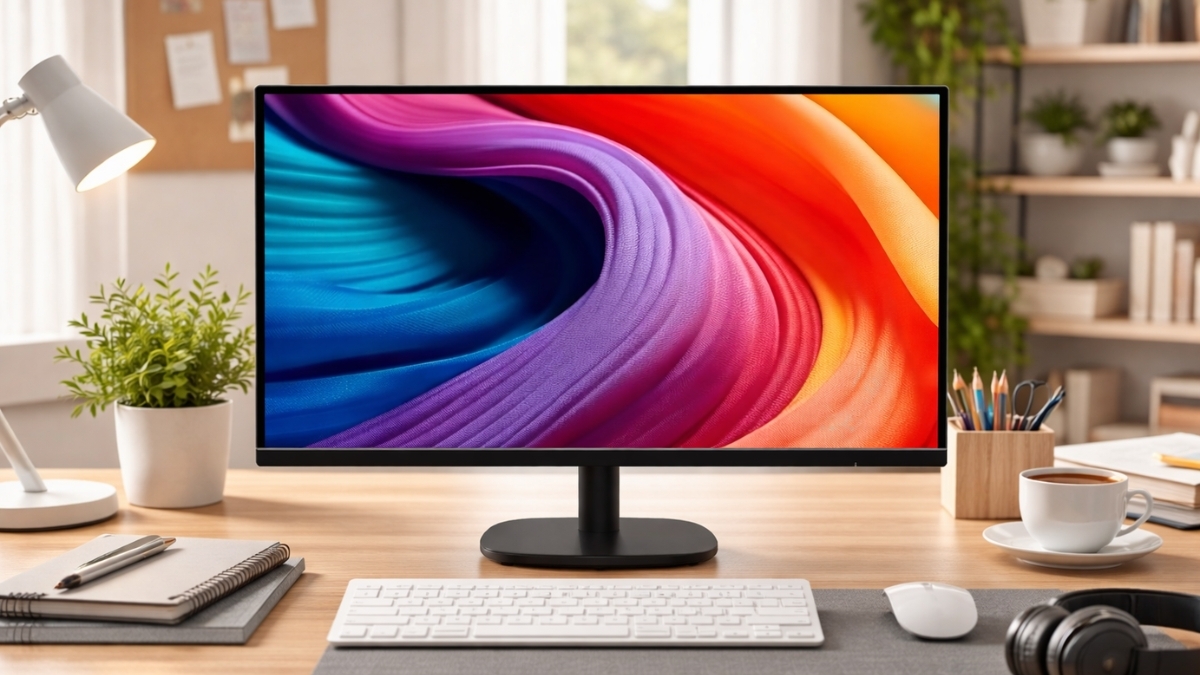
A big screen doesn’t have to drain your wallet. The Amazon Basics 27-Inch Monitor proves that point the moment you set it up on your desk. Priced around $119.99 on Amazon US (often fluctuating between about $109 and $139 depending on sales), this display targets students, remote workers, and casual gamers who want more screen space without spending hundreds.
You get a 27-inch IPS monitor, a 100Hz refresh rate monitor, and wide viewing angles in a simple, no-frills package. Budget monitors now make up a significant portion of online display sales, according to industry analyses from IDC and Statista, as more households build home offices and gaming setups. That makes affordable models like this one more relevant than ever. Here’s what you need to know before adding it to your cart.
Amazon Basics 27-Inch Monitor Specs and Core Features
The Amazon Basics 27-Inch Monitor comes with a 1920×1080 Full HD resolution, which places it firmly in the affordable large-screen category.
Key specs include:

- 27-inch IPS panel
- 1920 x 1080 resolution
- Up to 100Hz refresh rate
- Approx. 4ms response time
- 178° wide viewing angles
- HDMI and VGA ports (some versions include DisplayPort)
- VESA mount compatible (100x100mm)
This is a 1080p IPS monitor, not a 1440p model. On a 27-inch screen, that means pixel density is lower than on smaller displays. Text is clear at normal desk distance, though fine details won’t look as sharp as on higher-resolution panels.
For everyday tasks—browsing, email, streaming, spreadsheets—the clarity is perfectly usable.
Real-World Setup Experience
Setup takes about 10 minutes. The stand attaches with a simple screw mechanism, and the monitor feels light enough to move without hassle.
Out of the box, you get:
- The monitor panel
- Adjustable tilt stand
- Power adapter
- HDMI cable
The stand supports tilt adjustment but not height or swivel. If ergonomics matter, the VESA mount compatibility lets you attach a third-party arm for better positioning.
In daily use, the monitor feels stable on a solid desk. On lighter tables, slight wobble can occur when typing heavily. That’s common at this price range.
Display Quality and Color Performance
For a budget 27-inch monitor, the IPS panel performs well. Colors look natural and consistent across the screen. Viewing angles are wide, so the image doesn’t wash out when you lean back or shift position.
Brightness works well in normal indoor lighting. In rooms with direct sunlight, you may need to increase brightness to near maximum.
Color accuracy is fine for general productivity and casual photo adjustments. Professional designers who rely on precise color grading will likely prefer a calibrated 1440p or 4K display.
The matte screen coating reduces glare, which helps during long work sessions.
100Hz Refresh Rate: Does It Make a Difference?
Yes, and you’ll notice it.
A 100Hz refresh rate monitor feels smoother than traditional 60Hz displays. Scrolling through web pages looks cleaner. Cursor movement feels more fluid. Casual gaming benefits from smoother animation.
If you’re upgrading from an older office monitor, the jump from 60Hz to 100Hz stands out immediately.
That said, competitive esports players typically look for 144Hz or higher along with adaptive sync. This monitor focuses on value, not high-end gaming performance.
Gaming and Streaming Performance
For casual gaming, this monitor performs surprisingly well.
You can comfortably play:
- Fortnite
- Rocket League
- Minecraft
- Call of Duty (non-competitive play)
The 4ms response time keeps motion reasonably clear. Some motion blur appears in very fast scenes, though nothing disruptive for relaxed gaming sessions.
The built-in speakers work for system sounds and light media use. For immersive audio, external speakers or headphones make a noticeable improvement.
Streaming movies and shows looks good thanks to IPS color consistency. Wide angles make it suitable for shared viewing in smaller rooms.
Productivity and Work Use
If you work from home or manage school assignments, the extra screen size makes multitasking easier.
You can:
- Place two documents side by side
- Keep email open next to a spreadsheet
- Watch training videos while taking notes
The Amazon Basics monitor review experience shows it handles standard office work without lag or overheating.
Text clarity is acceptable at normal scaling. If you sit very close to the screen, you may notice that 1080p on 27 inches isn’t ultra sharp. Increasing text scaling slightly improves comfort.
Energy-efficient variants carry Energy Star certification, which aligns with U.S. Department of Energy guidelines for lower power consumption.
Connectivity and Compatibility
Connectivity is straightforward and flexible.
Most versions include:
● HDMI
● VGA
● Some models add DisplayPort
That makes it compatible with:
● Windows PCs
● MacBooks (with proper adapter if needed)
● Gaming consoles
● Streaming devices
Switching between devices is simple through the input menu. The on-screen controls use physical buttons under the panel. The menu system feels basic but functional.
Build Quality and Design
The design is clean and minimal. Slim bezels give it a modern look without flashy accents.
The frame and stand use durable plastic. It doesn’t feel premium, yet it doesn’t feel fragile either. For a monitor in this price range, construction quality meets expectations.
This is not a luxury display. It focuses on function and affordability.
Price and Value in 2026
As of this year, the Amazon Basics 27-Inch Monitor price typically sits around $119.99 on Amazon US, with occasional sales dropping below that mark.
Compared to other best budget 27-inch monitor options, it stands out because of:
● 100Hz refresh rate
● IPS panel instead of TN
● Large screen size under $150
Higher-end alternatives can cost $250–$400 for 1440p resolution and ergonomic stands. Those upgrades matter if pixel density and adjustability are top priorities.
For general users, this model delivers strong value per dollar.
Potential Limitations to Consider
No product is perfect, especially in the budget category.
Here are realistic trade-offs:
● 1080p resolution on 27 inches may look slightly less sharp
● No height or swivel adjustment on included stand
● No built-in USB-C connectivity
● No adaptive sync for advanced gaming
If you need ultra-sharp text for detailed design work, a 1440p display may suit you better. If you want an affordable large screen for daily use, this monitor fits well.
Multiple Perspectives: Who Should Consider It?
Students: Great for assignments, streaming, and casual gaming on a tight budget.
Remote workers: Extra screen space improves workflow without high cost.
Casual gamers: 100Hz refresh rate offers smoother visuals than 60Hz monitors.
Creative professionals: Acceptable for light editing, though not ideal for color-critical tasks.
If your main goal is maximum features for minimal spend, this monitor checks important boxes.
For additional specs and current deals, visit the official Amazon listing here: [INSERT LINK HERE]
Final Thoughts on the Amazon Basics 27-Inch Monitor
The Amazon Basics 27-Inch Monitor delivers exactly what many users need: a large, smooth, and affordable display for everyday tasks. You get IPS color consistency, a 100Hz refresh rate, and wide compatibility at a price that often stays under $130.
It won’t replace a high-resolution professional panel. It won’t compete with premium gaming monitors. What it does offer is practical value and dependable performance for work, study, and entertainment.
If you’re shopping for a Full HD computer moitor that balances price and performance, this one deserves a closer look. Check current pricing and customer feedback on Amazon, and explore other related tech accessories while you’re there.