Network & Performance
The TP-Link Roam 6 delivers solid wireless speeds through its AX1500 dual-band Wi-Fi 6 configuration. The 5 GHz band reaches up to 1201 Mbps, while the 2.4 GHz band provides 300 Mbps, striking a practical balance for travel and remote scenarios. The router employs 2×2 MIMO technology alongside OFDMA and MU-MIMO support, which means multiple devices connected simultaneously won’t bog down your network like older standards would. This efficiency matters when you’re sharing a single connection across laptops, tablets, and phones in a hotel room or coffee shop.
Connectivity & Ports
Despite its compact footprint, the Roam 6 packs functional connectivity options. A single Gigabit WAN port handles your primary internet source, whether that’s an Ethernet cable or tethered connection. A second Gigabit LAN port lets you wire a device directly if needed. The USB port supports tethering and storage depending on firmware capabilities, while USB-C power input with Power Delivery support means you can juice it up from a power bank rather than hunting for wall outlets—a genuine advantage for mobile users.
Operating Modes
Flexibility defines this router’s approach to connectivity. You can deploy it as a standard router, access point, or range extender depending on your situation. Client mode connects to existing Wi-Fi networks, while WISP/Hotspot mode lets you tap into public Wi-Fi and rebroadcast it as a private network. USB tethering support means a smartphone or mobile modem can feed the router, converting cellular data into Wi-Fi for all your devices. This multi-mode foundation makes the Roam 6 adaptable to virtually any travel scenario.
Security & VPN Features
Travel networks carry inherent risks, which is why the Roam 6 emphasizes security. WPA3 wireless encryption provides current-generation protection for your data. Built-in VPN support for both OpenVPN and WireGuard lets you tunnel traffic securely, masking your activity on compromised networks. A captive portal authentication feature handles hotel login pages seamlessly, and the router’s security architecture keeps your personal network isolated from whatever sketchy public Wi-Fi you’ve connected to upstream.

Design & Build
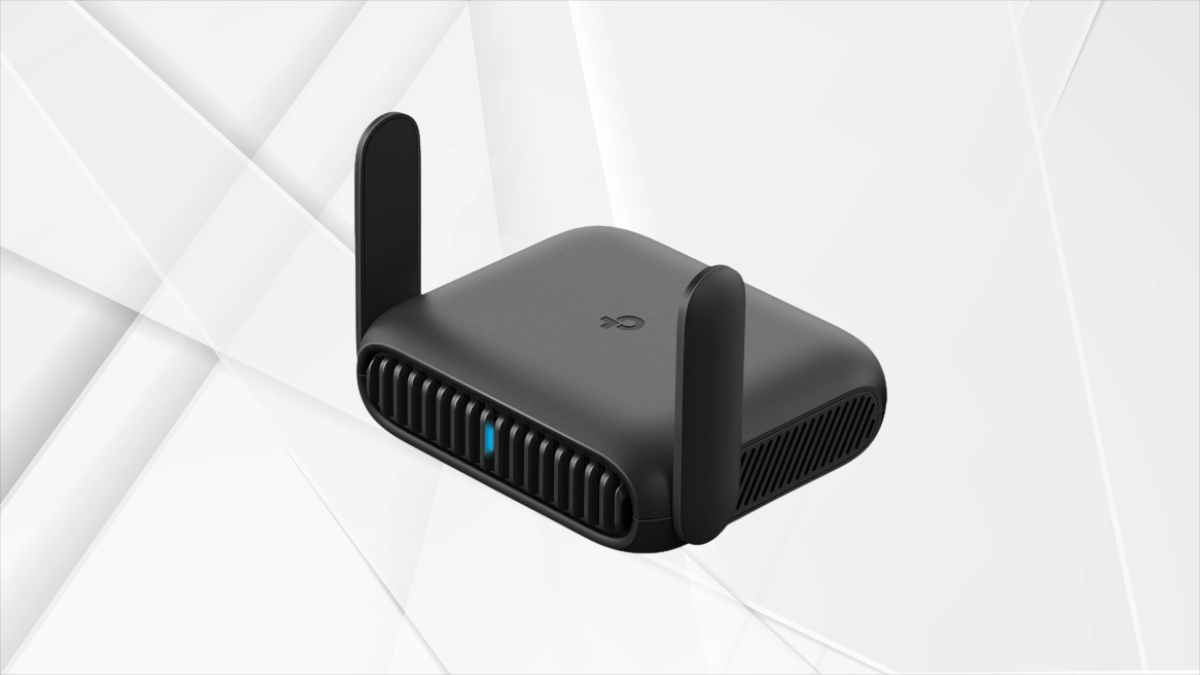
At approximately 104 × 90 × 28 mm and just 153 grams, this router genuinely fits in a pocket or laptop bag. The minimalist design avoids unnecessary bulk, and passive cooling means there’s no fan noise to disturb you in quiet environments. The compact profile makes it feel like an accessory rather than equipment, which matches its positioning as a travel tool rather than a stationary networking device.
Features & Usability
The Roam 6 simplifies the shared network experience. Login once to a hotel’s captive portal, and all your devices get access—you don’t repeat the process for each gadget. Control happens through the TP-Link Tether app or a web interface, both straightforward enough that setup takes minutes rather than hours. The ability to run it from a power bank overnight transforms it into a genuinely mobile solution; you’re not tethered to wall outlets.
Pros
Portability stands as the primary strength—this is genuinely pocketable gear. Security doesn’t take a backseat either; WPA3 encryption and VPN integration address real concerns when using untrusted networks. The multi-mode flexibility means it adapts to whatever connection method your current situation demands. For travelers and remote workers, the reliability justifies the investment, and USB-C power increases practical convenience across the board.
Cons
The AX1500 speeds are moderate, suitable for browsing and video calls but not for heavy downloading or streaming scenarios that demand higher bandwidth. The router ships without a built-in battery, meaning you’re dependent on finding power sources or carrying a power bank. USB throughput has limitations, and there’s no advanced multi-gig routing or high-end features for users wanting more sophisticated network control.
Use Cases
Business travelers benefit most when securing hotel connections with VPN protection. Remote workers appreciate the portable setup for moving between locations while maintaining security. If you need to distribute mobile hotspot data across multiple devices, the Roam 6 eliminates the battery drain of personal hotspot while letting everyone connect. It also serves as a backup internet solution when your primary connection drops, providing continuity when you need it most.