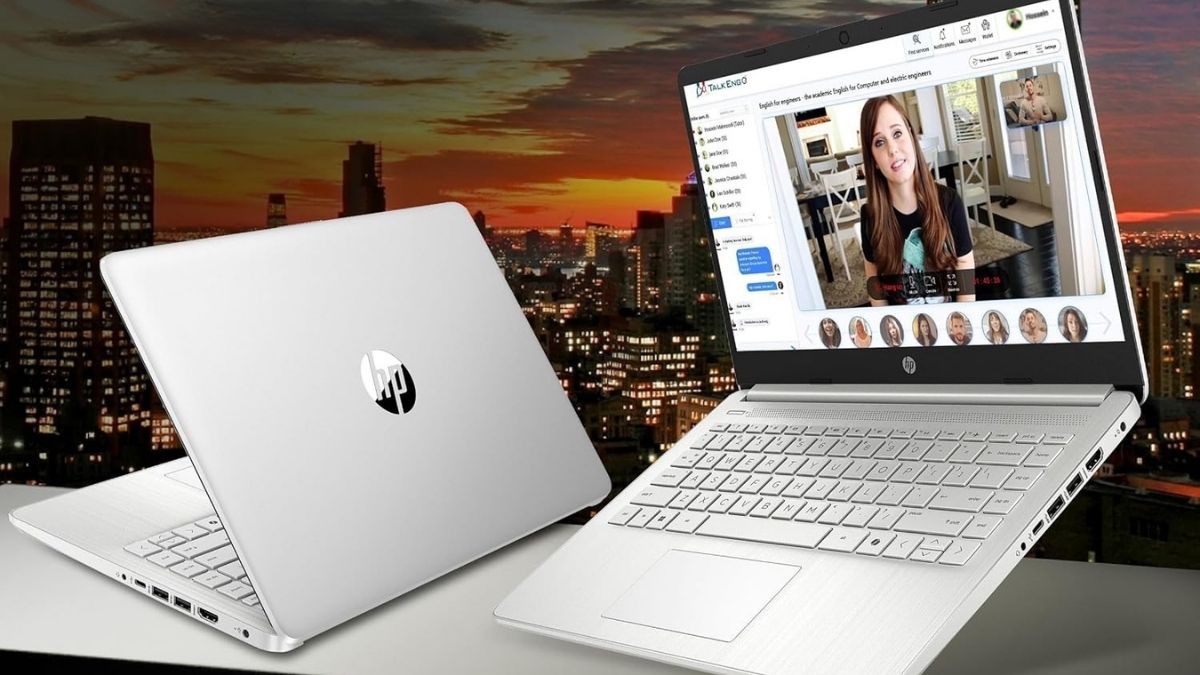
The budget laptop market continues to evolve, with brands like HP pushing the boundaries of performance and affordability. The HP Stream 14″ HD BrightView stands out as a lightweight, ultra-portable machine tailored for users who value practicality over power.
Weighing only 3.24 pounds and just 0.71 inches thick, this laptop promises easy portability and straightforward functionality. But how does it perform in real-world use? Let’s take a closer look.
Design and Build Quality
Before diving into performance, it’s worth appreciating the Stream’s physical form. HP has managed to craft a clean, modern look despite its budget-friendly construction.
Streamlined Portability in a Budget Package
The slim, lightweight chassis makes the HP Stream easy to carry for students or professionals constantly on the go. Though its plastic build doesn’t match the feel of premium aluminum laptops, it holds up well to everyday use. With careful handling, this model can easily serve as a daily work or study companion.

Ports and Input Devices
Surprisingly, HP provides a solid mix of connectivity options:
- 1× USB-C (3.0) for modern devices
- 2× USB-A (3.0) for older peripherals
- 1× HDMI 1.4 for external display support
- 1× Media card reader
- 1× Headphone/microphone combo jack
This thoughtful inclusion means no constant dongle juggling, which is often a frustration at this price range. The keyboard offers decent comfort for typing sessions, though it’s less tactile than high-end models. The trackpad works accurately but lacks the smoothness of glass surfaces.
Display Performance
The 14-inch HD BrightView display (1366×768 resolution) represents one of the few compromises in this system.
Brightness and Color
Colors appear vivid indoors, but the glossy BrightView coating can cause glare in well-lit environments. For streaming, browsing, or document editing, it’s adequate—but don’t expect cinematic visuals or pro-level color precision.
Viewing Angles
The display’s narrow viewing angles limit its suitability for shared watching sessions. Still, for single-user work or study tasks, it performs its role adequately.
Hardware and Performance
Under the hood, the Intel Celeron N4120 processor drives the Stream 14, prioritizing efficiency over raw power.
Everyday Use
For light workloads—like web browsing, document editing, and video calls—the performance holds steady. The N4120 performs admirably within its constraints, especially in models with 8GB or more RAM. Users can open up to a dozen browser tabs or run Office apps smoothly, but intensive multitasking will cause slowdown.
Graphics and Storage
Integrated Intel UHD Graphics handle basic media tasks but are not designed for gaming or creative software. The 128GB eMMC storage loads files swiftly but fills up fast, making cloud storage or external drives a smart addition.
Battery and Thermals
Expect between 5 to 7 hours of real-world battery life—enough for school or light workdays. The fan remains quiet thanks to low heat output from the efficient processor.
Software and User Experience
Windows 11 S Mode
HP ships the Stream with Windows 11 Home in S Mode, locking installations to Microsoft Store apps for added security. You can easily exit S Mode (free of charge) to install full Windows software, though the change is permanent.
Preinstalled Tools and Office
Some versions include a 1-year Microsoft 365 subscription, which is an excellent value for students. However, you’ll want to uninstall trial antivirus apps and other bloatware to streamline performance.
Connectivity and Expansion
Wireless connections include standard Wi-Fi and Bluetooth, which perform reliably for typical tasks. While it doesn’t support Wi-Fi 6, the connection remains stable for streaming and video conferencing. The HDMI port enables 1080p external display output, and the SD card reader offers convenient storage expansion.
Audio output is clear enough for calls or YouTube videos, though the built-in speakers lack depth. Headphones or external speakers provide a better experience.
Value and Use Cases
The HP Stream 14″ makes the most sense for:
- Students who need an inexpensive, lightweight device for notes and online classes
- Casual users focused on web browsing, media, and email
- Families seeking a simple shared household computer
- Budget-conscious buyers preferring Windows over ChromeOS
Its price-to-performance ratio remains one of the best in its class. The inclusion of Microsoft 365 alone offsets a significant portion of the purchase cost for many users.
Long-Term Ownership and Optimization
Durability remains acceptable for daily handling, though users should avoid rough use. RAM upgrades may be limited by configuration, so it’s worth selecting a higher-memory version from the start.
To get the best experience:
- Exit S Mode if you need full app flexibility
- Use cloud storage to manage limited internal space
- Remove unnecessary apps for faster startup times
- Add a USB-C hub or docking station for extra ports
Final Thoughts
The HP Stream 14″ HD BrightView Laptop with Intel Celeron N4120 isn’t built for heavy lifting—but it never pretends to be. Instead, it focuses on delivering what truly matters: reliability, portability, and simplicity at a fair price.
For students, remote workers, and anyone who values affordability over performance flash, this laptop offers exactly what’s needed. It may not rival premium ultrabooks, but as a dependable daily tool, it’s one of the best values in its segment.